
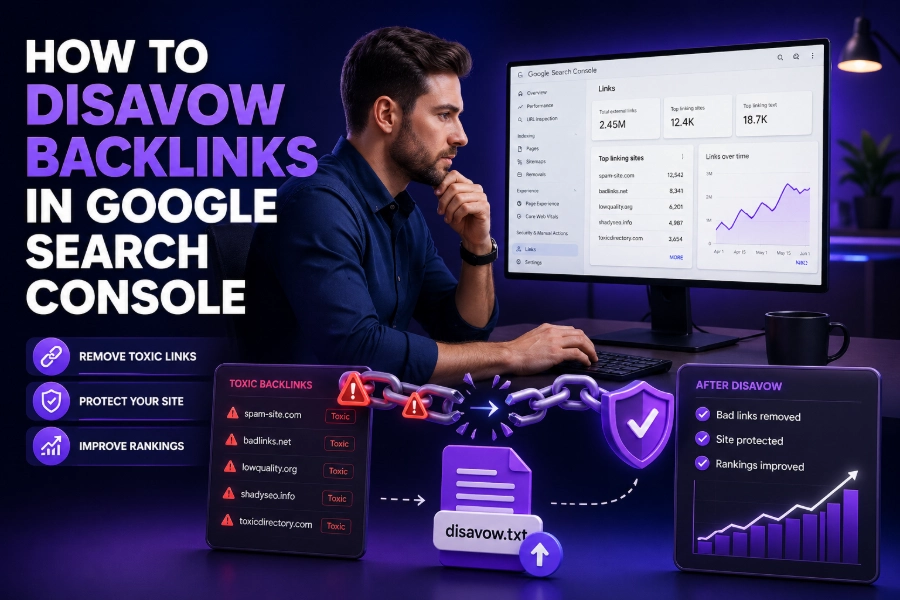
Disavowing backlinks is a crucial part of maintaining a clean and healthy SEO profile. If you’re wondering how to disavow backlinks in Google Search Console, you’re in the right place. Backlinks are a key ranking factor for search engines, but not all backlinks are beneficial. Some can be harmful to your website’s ranking and online reputation.
In this article, we’ll walk you through the entire process of identifying and disavowing harmful backlinks, ensuring your website stays on track for better search engine visibility.
Why You Should Disavow Backlinks
Before diving into the process of how to disavow backlinks in Google Search Console, it’s essential to understand the why behind this action. Google uses backlinks as one of the primary indicators of your site’s credibility. However, when a site receives backlinks from low-quality, spammy, or irrelevant websites, it can negatively impact SEO performance. These backlinks can result in a penalty, lower rankings, or even de-indexing. To safeguard your site, it’s important to regularly monitor your backlink profile and remove any potentially harmful links.
If you’re struggling to identify such links, tools like Google Search Console offer a detailed view of the backlinks pointing to your website. Once harmful links are identified, the next step is disavowing them, ensuring they no longer affect your site’s rankings. This is where the disavow process comes into play.
How to Disavow Backlinks in Google Search Console
Disavowing backlinks involves telling Google that certain links pointing to your site should not be counted in the ranking algorithm. To do this, follow these essential steps:
- Analyze Your Backlinks:
The first step is identifying the backlinks that might harm your site’s SEO. You can use tools like Google Search Console or third-party tools such as Ahrefs or SEMrush to download your backlink profile. Look for spammy, irrelevant, or low-quality sites. - Create a Disavow File:
Once you have identified the links, you’ll need to create a disavow file. This file lists all the URLs you want Google to ignore. Format this file in a plain text format (.txt) and ensure that each URL is listed on a new line. You can either disavow individual URLs or entire domains. - Submit the Disavow File to Google Search Console:
After preparing the disavow file, visit Google Search Console and navigate to the Disavow Links tool. Here, you can upload your disavow file directly to Google. Once submitted, Google will process your file, and the disavowed links will no longer be counted against your site’s SEO.
If you’re unsure about disavowing links, remember that it’s best to proceed cautiously. Disavowing links should only be done after thorough analysis to ensure you’re not affecting valuable backlinks.
How to Recognize Harmful Backlinks
Not all backlinks are harmful, but some can significantly affect your site’s performance. To avoid disavowing good backlinks by mistake, here’s a checklist to help you identify harmful links:
- Links from Irrelevant Sites:
Backlinks from websites that have no relevance to your niche or industry can be damaging. For example, a backlink from a site about dog training may not benefit a tech website. - Links from Low-Quality or Spammy Sites:
Low-quality sites, including those with little or no content, are considered spammy. These types of links may trigger penalties and harm your rankings. - Links from Link Farms or Paid Link Networks:
Link farms are sites specifically designed to link to other sites for the purpose of boosting SEO artificially. Paid links also fall into this category.
You can easily identify these types of backlinks by running a backlink audit using tools like Ahrefs or SEMrush.
Best Practices for Disavowing Backlinks
When disavowing backlinks, there are some best practices to keep in mind. These strategies will help you avoid mistakes and ensure your disavow process is effective:
- Focus on Low-Quality Links:
It’s tempting to disavow every link that isn’t perfect, but remember that only low-quality links should be disavowed. Good-quality backlinks should be retained as they contribute to your SEO success. - Review Backlinks Regularly:
Regularly audit your backlink profile to ensure that you’re not accumulating harmful backlinks. Tools like Google Search Console make it easy to monitor backlinks over time. For more comprehensive tracking, using an seo backlink monitor can help you identify new, lost, or potentially harmful backlinks, making it easier to maintain a healthy link profile. - Don’t Overuse Disavow:
Disavowing should not be your first line of defense against poor backlinks. Instead, try reaching out to webmasters and requesting the removal of harmful links. If that doesn’t work, then consider using the disavow tool. - Be Cautious with Bulk Disavowing:
Bulk disavowing can lead to mistakes. Ensure that each link is reviewed carefully before adding it to your disavow file. Overusing disavow can result in unintended consequences, such as losing valuable backlinks.
If you’re looking to streamline your backlink audit process, consider using automated tools like Ahrefs or SEMrush. These platforms offer powerful backlink analysis features that can make the process faster and more efficient.
How Long Does It Take for Disavowed Links to Take Effect?
After submitting your disavow file, it may take some time for Google to process the changes. Typically, it can take anywhere from a few weeks to a couple of months for the effects of disavowing backlinks to become visible. This delay is because Google needs to re-crawl your site and re-evaluate the disavowed links.
During this period, you should continue to monitor your website’s performance and backlink profile. If you notice any further harmful links, repeat the disavow process as needed. Keep in mind that disavowing too many links at once can cause issues, so always proceed carefully.
Monitoring Your SEO After Disavowing Links
Once you’ve disavowed harmful backlinks, it’s crucial to keep monitoring your SEO performance. Use tools like Google Search Console and other backlink analysis tools to track any changes in your rankings.
- Keep an Eye on Traffic Fluctuations:
Monitor your site’s traffic for any spikes or drops. A positive change may indicate that your disavow process was successful, while a negative change could signal that you may need to disavow additional harmful backlinks. - Revisit Your Disavow File Periodically:
As you continue to grow your site and accumulate new backlinks, it’s essential to revisit your disavow file. Regularly updating it ensures that you’re only disavowing harmful links, while allowing valuable backlinks to stay.
You can learn why is WordPress so hard to use to enhance your knowledge of how website structure and content management can influence SEO.
Conclusion
Disavowing backlinks is a critical step in managing your website’s SEO health. By regularly auditing your backlinks, identifying harmful ones, and using tools like Google Search Console to disavow them, you can ensure that your site remains in good standing with search engines. Remember, always proceed with caution when disavowing links, as removing valuable backlinks can harm your SEO efforts.
To maintain a strong SEO profile, monitor your backlink profile regularly and only disavow links that genuinely pose a risk to your website’s ranking. Keep refining your strategy, and you’ll be well on your way to a healthy, SEO-friendly website.
FAQs
What is disavowing backlinks in Google Search Console?
Disavowing backlinks involves telling Google to ignore certain harmful backlinks that may negatively impact your website’s SEO. By using the disavow tool in Google Search Console, you ensure that low-quality links don’t affect your rankings.
Why should I disavow backlinks?
Disavowing backlinks helps prevent negative SEO impacts caused by low-quality, spammy, or irrelevant backlinks. These harmful links could result in penalties, lower rankings, or even de-indexing. Disavowing protects your site’s online reputation and SEO performance.
How do I identify harmful backlinks?
To identify harmful backlinks, use tools like Google Search Console, Ahrefs, or SEMrush. Look for links from irrelevant, low-authority, or spammy websites. Links that originate from link farms or paid link networks should also be flagged as harmful.
When should I disavow backlinks?
You should disavow backlinks when they come from low-quality sources that could harm your SEO. If a backlink appears to be spammy, irrelevant, or comes from a link farm, it’s time to disavow it to protect your site’s ranking.
How do I disavow backlinks using Google Search Console?
To disavow backlinks, go to Google Search Console and navigate to the disavow tool. Upload a disavow file containing harmful backlinks you want to ignore. This tells Google to exclude these links when calculating your site’s ranking.
Can I disavow all backlinks at once?
No, disavowing all backlinks is not recommended. Only disavow links that are genuinely harmful to your SEO. Disavowing good backlinks can damage your site’s ranking and overall SEO performance. Carefully select which backlinks to disavow.
How long does it take for disavowing links to take effect?
It can take several weeks to a few months for the effects of disavowing backlinks to show. Google needs time to re-crawl your site and adjust its ranking algorithm based on the changes to your backlink profile.
Should I use the disavow tool for every bad backlink?
No, use the disavow tool only for backlinks that could negatively affect your SEO. Before disavowing, try contacting the site owner to remove the backlink manually. Disavowing should be your last resort after other methods fail.
What happens if I disavow backlinks incorrectly?
Disavowing backlinks incorrectly can harm your SEO performance. If you mistakenly disavow a valuable backlink, it could hurt your site’s rankings. Always review your backlink profile carefully before using the disavow tool to ensure you don’t remove good links.
How often should I audit my backlinks?
It’s a good practice to audit your backlinks at least every 3-6 months. Regular audits help ensure that your backlink profile remains clean and free of harmful links. This proactive approach supports your long-term SEO efforts.