
TVs have evolved from simple entertainment devices into platforms for streaming, gaming, and smart home control. But as their purpose changes, so do our expectations.
That’s why TV interfaces today require a completely different user experience approach. One that focuses on the user’s needs while giving them the easiest and quickest way of browsing through their favorite TV apps, shows, and other content.
The Unique Nature of TVs
TVs are made for lean-back experiences, not the active, hands-on use of a smartphone or laptop. This changes pretty much everything in interface design.
The text needs to be big, the buttons well spaced, and the navigation as simple as possible. Android TV design guidelines say that interfaces should focus on readability and predictable navigation—typically achieved through grid-based layouts—so users viewing content from across the room always know where the next click will take them.
Remote Controls Shape Every Interaction
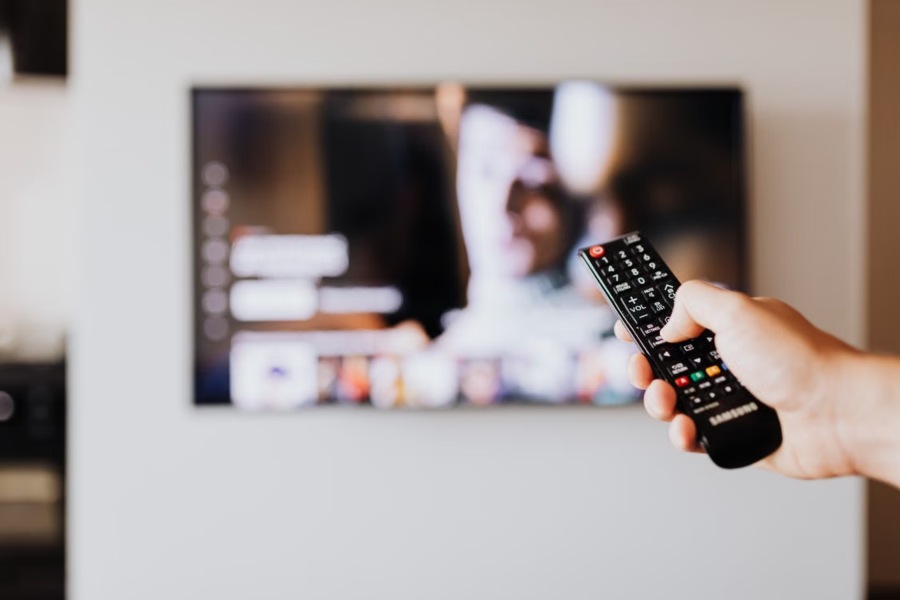
The main thing that sets TV and mobile UX apart is how people interact with them. On TV, folks use directional buttons on a remote, not their fingers or a mouse, so navigation feels more limited.
Every Click Counts
Using a remote to move through menus takes longer than swiping on your phone. If you make users click too many times or deal with messy, crowded screens, they’re going to get annoyed fast. So, designers really need to keep things simple and cut down on the steps it takes to get stuff done.
Focus States Are Essential
Users move from one interface element to another, so each selectable item requires a clear visual focus state. Bold highlighting ensures that viewers always know where they are, so they don’t get confused as they move around.
Clarity is Key
TVs are observed from much greater distances than mobile devices, meaning visual clarity is vital. Text should be written using large type sizes with high contrast between the text and the background. The icons used should be immediately identifiable, and the menus should not be cluttered with details that will be hard to see from afar.
Apple’s Human Interface Guidelines also emphasize simplicity, generous spacing, and intuitive navigation to help users stay focused on content rather than controls.
Have Content At The Forefront
People turn on a television to watch something, not to admire the interface. The best Smart TV experiences place content at the center while keeping controls readily accessible.
Large previews, personalized recommendations, and clearly organized categories help users discover entertainment without feeling overwhelmed. Navigation should remain consistent throughout the experience so viewers never have to relearn how the platform works.
Performance Directly Affects User Experience
Smart TVs often have less processing power than modern smartphones or computers. Heavy animations, oversized images, or unnecessary background processes can slow navigation and reduce responsiveness.
Good TV UX focuses on performance by optimizing assets and keeping transitions smooth without sacrificing speed. Even small delays between remote inputs and on-screen responses become noticeable when users rely on directional navigation.
Consider the Connected Entertainment Experience
Today’s Smart TVs rarely exist in isolation. They connect with streaming services, gaming platforms, smart speakers, and home networks, creating an ecosystem that extends beyond the television itself.
Many users also rely on software like VPNs and Apple TV to stream international content and access specific apps not provided on native TV app stores. Designers need to understand these broader usage patterns to create interfaces that accommodate all the different uses while still offering a safe, enjoyable watching experience.
Accessibility Makes Better TV Experiences
Accessibility benefits every viewer, not just those with disabilities. Television interfaces should support users of varying ages, vision levels, and technical abilities. Key accessibility considerations include:
- Large, legible text
- High-contrast color combinations
- Clear focus indicators
- Consistent navigation patterns
- Simple language and recognizable icons
- Easy access to captions and audio settings
These improvements reduce friction while making Smart TVs more enjoyable for everyone in the household.
Designing for Shared Spaces
Unlike personal devices, televisions are often shared among family members or guests. Multiple people may view the screen simultaneously, each with different preferences and familiarity with the interface.
Profiles should be easy to switch, recommendations should remain relevant, and parental controls should be accessible without disrupting everyday use. Designers also need to account for viewers of different ages interacting with the same device, ensuring navigation feels intuitive for everyone.
Conclusion
A user-friendly interface requires seeing beyond the traditional TV design. Designs need to take into account distance viewing, remote-based navigation, shared usage, and performance limitations to create a visual experience that is both enjoyable and highly functional.