
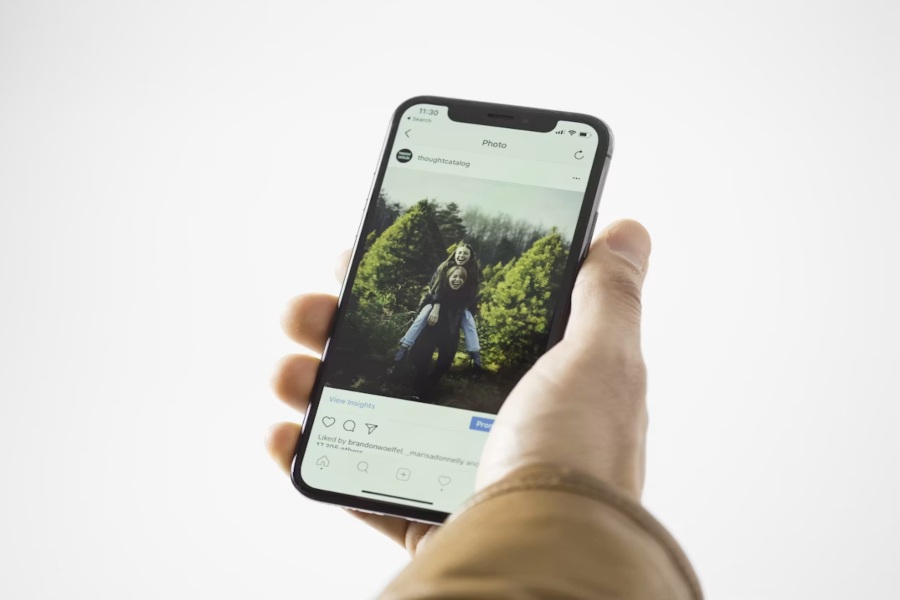
Instagram is still one of the most visual platforms on the internet, and in 2026 the competition for attention has never been fiercer. Every scroll brings new posts, new creators, and new brands fighting for a moment of your audience’s time. That is why the quality of your visuals matters more than ever. The good news is that you no longer need a professional camera, an expensive designer, or years of Photoshop experience to make Instagram posts that stop the scroll. Free AI image generators have completely changed the game, giving creators, small businesses, and influencers the ability to design stunning content in minutes.
This guide walks you through exactly how to create Instagram posts using AI, what makes a scroll-stopping visual, and how to build a consistent aesthetic without spending a rupee on design tools.
Why AI Image Generators Are Perfect for Instagram
Instagram rewards consistency, aesthetics, and originality. AI image generators are built to give you all three, faster and cheaper than any traditional design workflow.
With AI, creators can now:
- Generate custom Instagram posts from a simple text prompt
- Build a cohesive feed aesthetic without hiring a designer
- Produce dozens of carousel slides in minutes
- Create original visuals instead of relying on overused stock photos
- Test different styles to see what performs best with their audience
The result is more content, more variety, and better engagement, all without adding hours to your day.
Step 1: Choose the Right AI Image Tool
The tool you pick shapes everything else. You need something that produces high-quality Instagram-ready visuals, supports multiple aspect ratios, and lets you control style, color, and mood without a steep learning curve.
For most creators in 2026, the best free AI image generator available is ImagineArt. It stands out because it brings together every major AI image model in one workspace, including Nano Banana Pro, Imagen, Flux, Recraft, and its own in-house engine, which means creators can experiment with different visual styles from a single dashboard. Whether you want cinematic photos, illustrated posts, minimalist designs, or product mockups, ImagineArt lets you switch models and styles instantly. Combined with its generous free plan and support for Instagram-friendly aspect ratios, it has become the go-to solution for creators who want to make professional Instagram content without paying for expensive design software.
Why creators are choosing ImagineArt for Instagram
- Access to multiple leading AI image models in one platform
- Free plan with generous daily generations
- Aspect ratio presets for Instagram feed, carousel, and stories
- Cinematic-grade output that looks professional out of the box
- Advanced prompt controls and style consistency features
- Part of a full creative suite that also covers video, ads, and film
Step 2: Plan Your Instagram Aesthetic
Before you start generating, decide on the overall look and feel of your feed. Consistency is what separates casual accounts from ones that build real audiences.
Ask yourself:
- What is my niche or theme?
- What colors match my brand or personality?
- Do I want cinematic photos, minimalist designs, or illustrated art?
- What kind of mood should my feed evoke?
Once you have a clear direction, you can use that as the anchor for every prompt you write.
Step 3: Write Prompts That Get Great Results
The quality of your Instagram post depends heavily on the quality of your prompt. Weak prompts create generic images. Strong prompts create scroll-stoppers.
Tips for writing better prompts
- Be specific about subject, setting, and mood
- Include lighting cues like golden hour, soft studio light, or neon glow
- Mention style references such as cinematic, editorial, illustrated, or minimalist
- Add color palettes to reinforce your feed aesthetic
- Specify aspect ratio (1:1 for feed, 4:5 for carousel, 9:16 for stories)
Example weak prompt: “Coffee shop photo” Example strong prompt: “Warm cinematic photo of a cozy morning coffee scene, soft golden window light, minimalist ceramic mug, muted beige and cream color palette, 1:1 aspect ratio”
Small changes in your prompt can dramatically improve your output.
Step 4: Generate and Refine Your Posts
Once your prompt is ready, generate three to five variations and pick the strongest one. Do not settle for the first result. AI image tools shine when you iterate.
- Compare different models to find the style that fits your feed
- Test different color palettes and lighting settings
- Generate a mix of hero shots, background posts, and quote-friendly visuals
- Save your best prompts as templates you can reuse
Batching your content this way is one of the fastest ways to fill your Instagram calendar for weeks in advance.
Step 5: Add Text, Branding, and Final Touches
AI creates the visual. You add the story. Once your image is ready, use a lightweight design tool like Canva or your favorite editor to overlay text, brand elements, or hooks.
Elements to consider adding
- Bold text hooks for carousel opening slides
- Subtle brand watermarks or logos
- On-image captions for quote posts
- Consistent fonts and color overlays
- Emoji or icon accents for personality
Keep it clean. The best Instagram posts let the visual breathe and let the text serve the image, not the other way around.
Types of Instagram Posts You Can Create With AI
To get you started, here are formats that perform exceptionally well right now.
- Cinematic lifestyle photos
- Quote and typography posts
- Product photography and mockups
- Educational carousels
- Behind-the-scenes and mood boards
- Fashion, travel, and food aesthetics
- Faceless niche account content
- AI-generated fantasy or storytelling visuals
Any niche you can imagine, you can now visualize with AI.
Step 6: Post Consistently and Track What Works
Great content only matters if you post it consistently. Use AI to build a content bank of at least 10 to 15 ready-to-post visuals, then schedule them across the week. Watch which styles get the most saves, shares, and comments, then double down on what works.
Consistency plus quality is what grows Instagram accounts in 2026, and AI makes both achievable for anyone.
Conclusion
Creating Instagram posts using a free AI image generator is no longer a shortcut. It is the smartest way for creators, influencers, and small businesses to compete on a platform that demands high-quality visuals every single day. With the right tools, prompts, and consistency, anyone can build a feed that looks professionally designed without hiring a designer or spending on software. ImagineArt makes the entire process accessible, offering multiple leading models, Instagram-ready formats, and a free plan that lets you experiment without limits. Start with one post, build your style, and grow from there. The tools are ready. The only thing left is your first upload.
Frequently Asked Questions
1. Can I use AI-generated images on Instagram without any restrictions?
Yes. Instagram allows AI-generated content as long as it follows community guidelines and does not spread misinformation or impersonate real people. Many top creators openly use AI images in their feeds.
2. Do I need to pay to create Instagram posts with AI?
No. Free plans on tools like ImagineArt are generous enough for daily content creation. Paid upgrades unlock higher limits, commercial rights, and premium models, but you can absolutely start and grow without paying.
3. Will AI-generated posts hurt my engagement?
Not if the images are high-quality and match your niche. Engagement depends more on story, hook, and consistency than on how the image was made. Use AI to increase output while keeping your voice authentic.